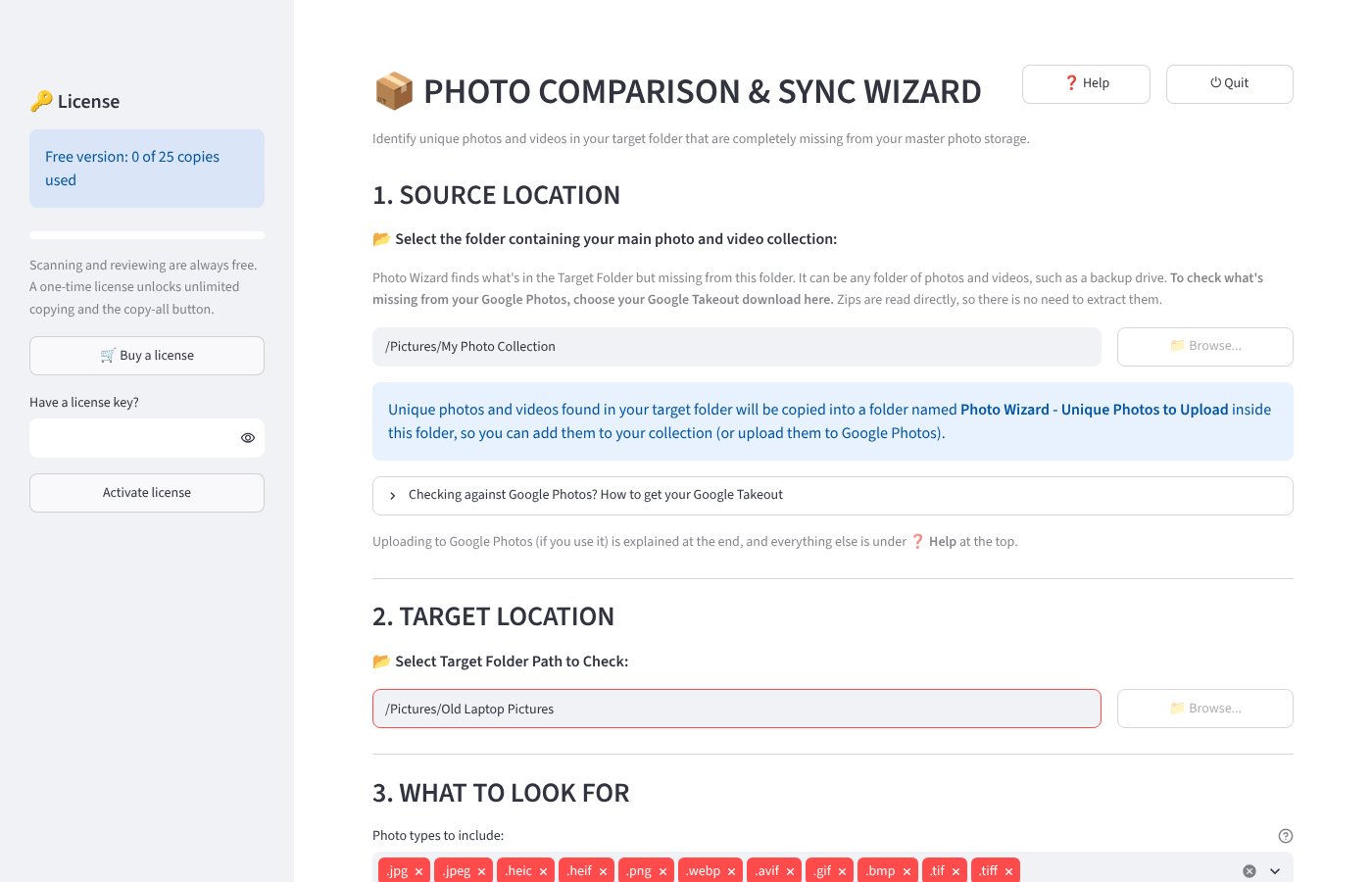
Old laptop, phone backup, memory card… which of these photos/videos are NOT already in your collection? Photo Wizard finds them and gathers them in one folder, ready to add or upload.
The download is emailed to you: open the email and click View Order. By buying or downloading, you agree to our Terms and Refund Policy.
Free to scan and compare · 25 free copies · One-time payment to unlock · Windows 10 and 11
Scanning, comparing and reviewing are always free, with no time limit. Run Photo Wizard on your own photos and see exactly which ones are missing from your collection before you spend anything.
You can also copy up to 25 photos or videos free, one at a time or a few selected at once, to check that everything works the way you expect. When you're completely comfortable, a one-time license unlocks unlimited copying and the Copy All button.
Enter your email and we'll email you the download right away. In that email, click View Order, then Download. No payment details needed.
Pick the folder with your main photo and video collection. Using Google Photos? Choose your Google Takeout download: zip files are read directly.
An old computer's Pictures folder, a backup drive, a phone backup or a memory card.
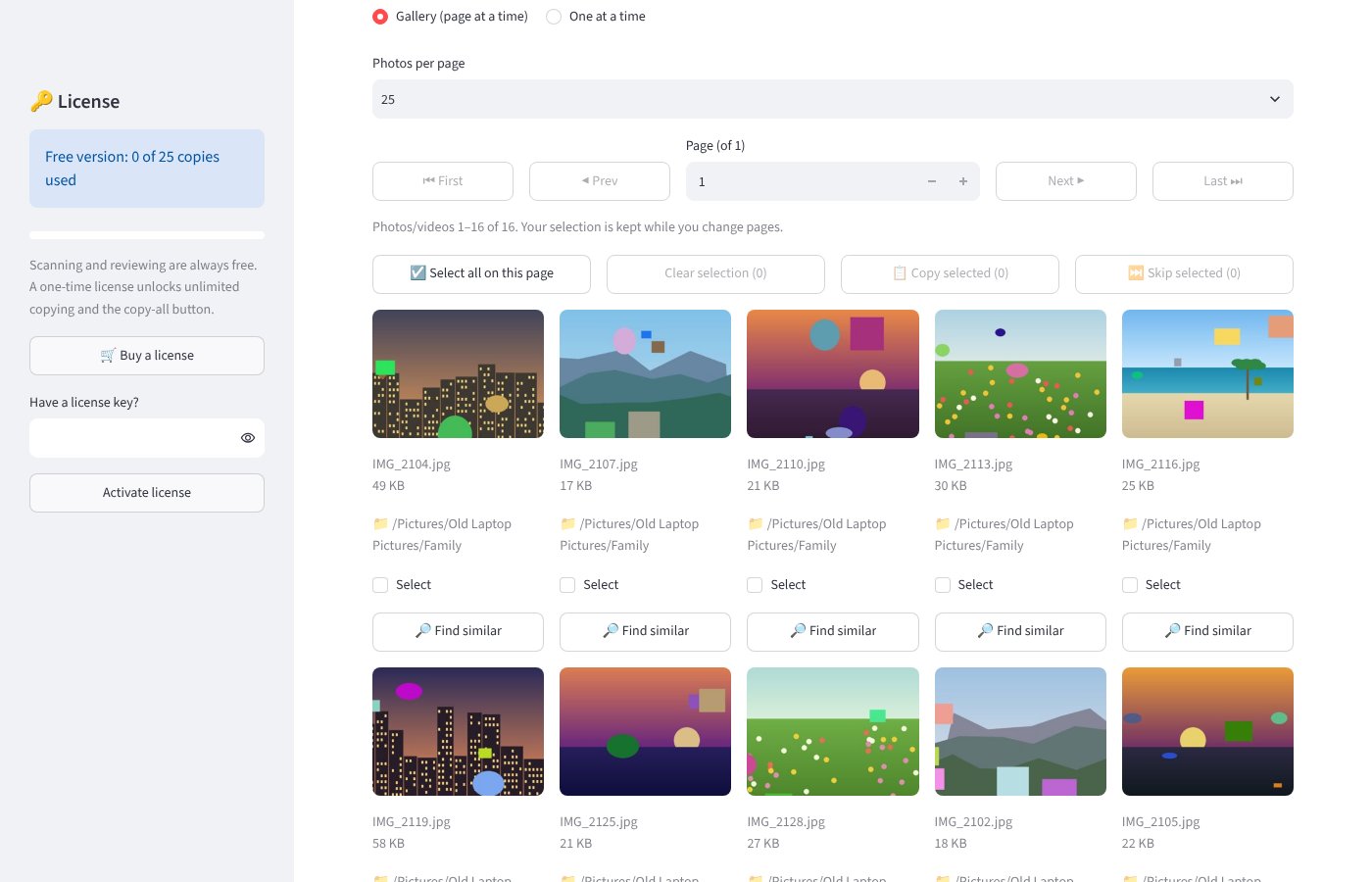
Photo Wizard skips exact copies and sets aside look-alikes (resized or re-saved copies) so you only review what is really new.
Copy the missing photos and videos into one folder with a click, then add them to your collection or upload them to Google Photos.
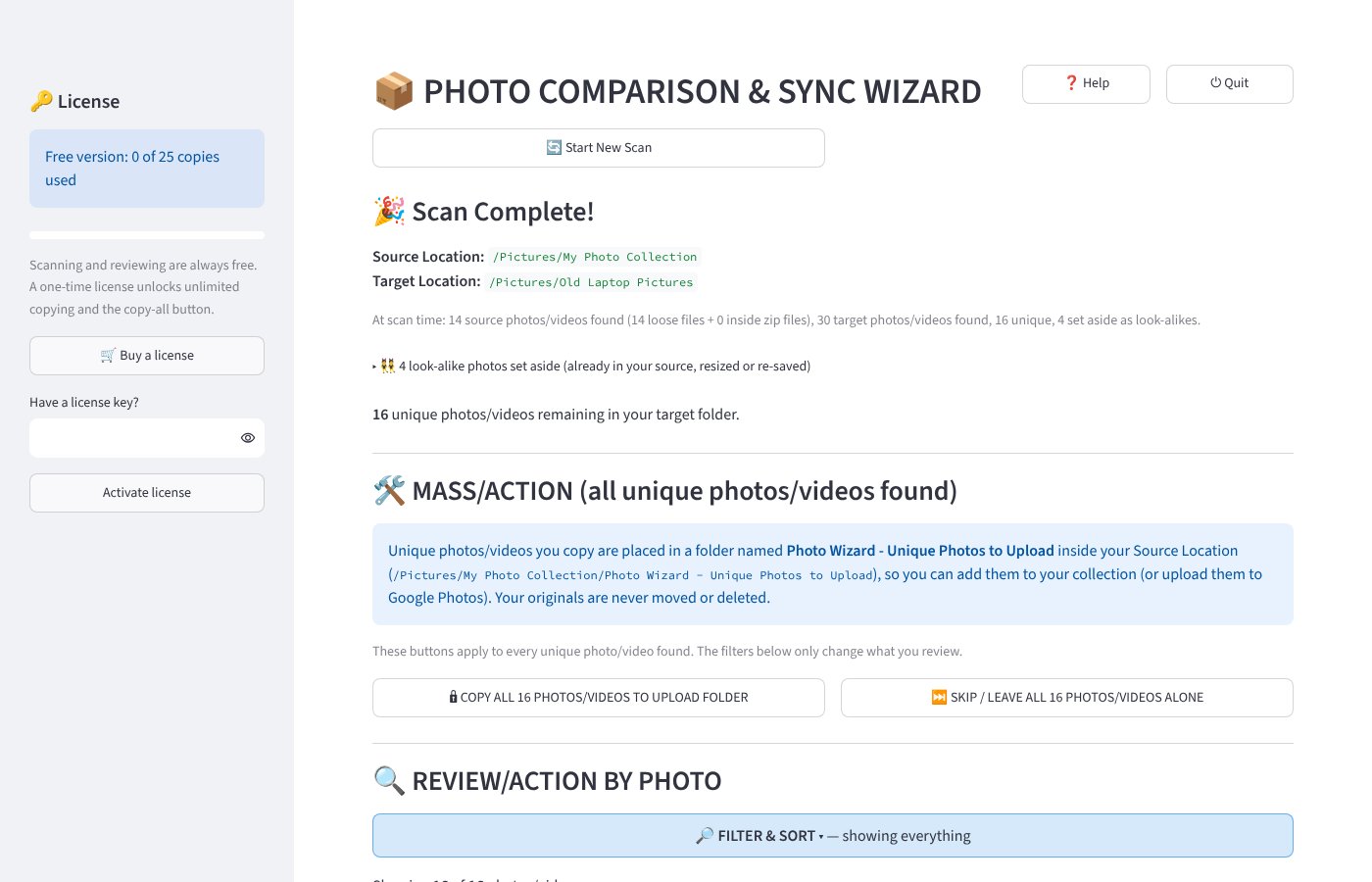
Everything happens on your computer. Your photos are never uploaded anywhere by Photo Wizard.
Your originals are never moved, changed or deleted. Photo Wizard only makes copies.
Works with iPhone photos (HEIC), JPG, PNG, WebP, AVIF, TIFF and more, plus common video formats.
Finds look-alikes too: the same photo resized, re-saved or downloaded again.
One-time payment, yours to keep. Scanning and 25 copies are free before you buy.
Secure checkout by Lemon Squeezy. Requires Windows 10 or 11 (64-bit).
By buying, you agree to our Terms and Refund Policy.
How to find photos missing from Google Photos: three ways to check an old laptop, drive or phone backup against your Google Photos.
How to check an old laptop for photos you don't have yet: where photos hide on Windows, and how to rescue only the ones missing from your collection before you wipe it.
Google Takeout: what to do with all those zip files: what's inside the zips, why photos appear more than once, and whether you need to unzip them.
Questions before or after buying? Email [email protected]. Lost your license key or download link? Find your order any time at app.lemonsqueezy.com/my-orders.